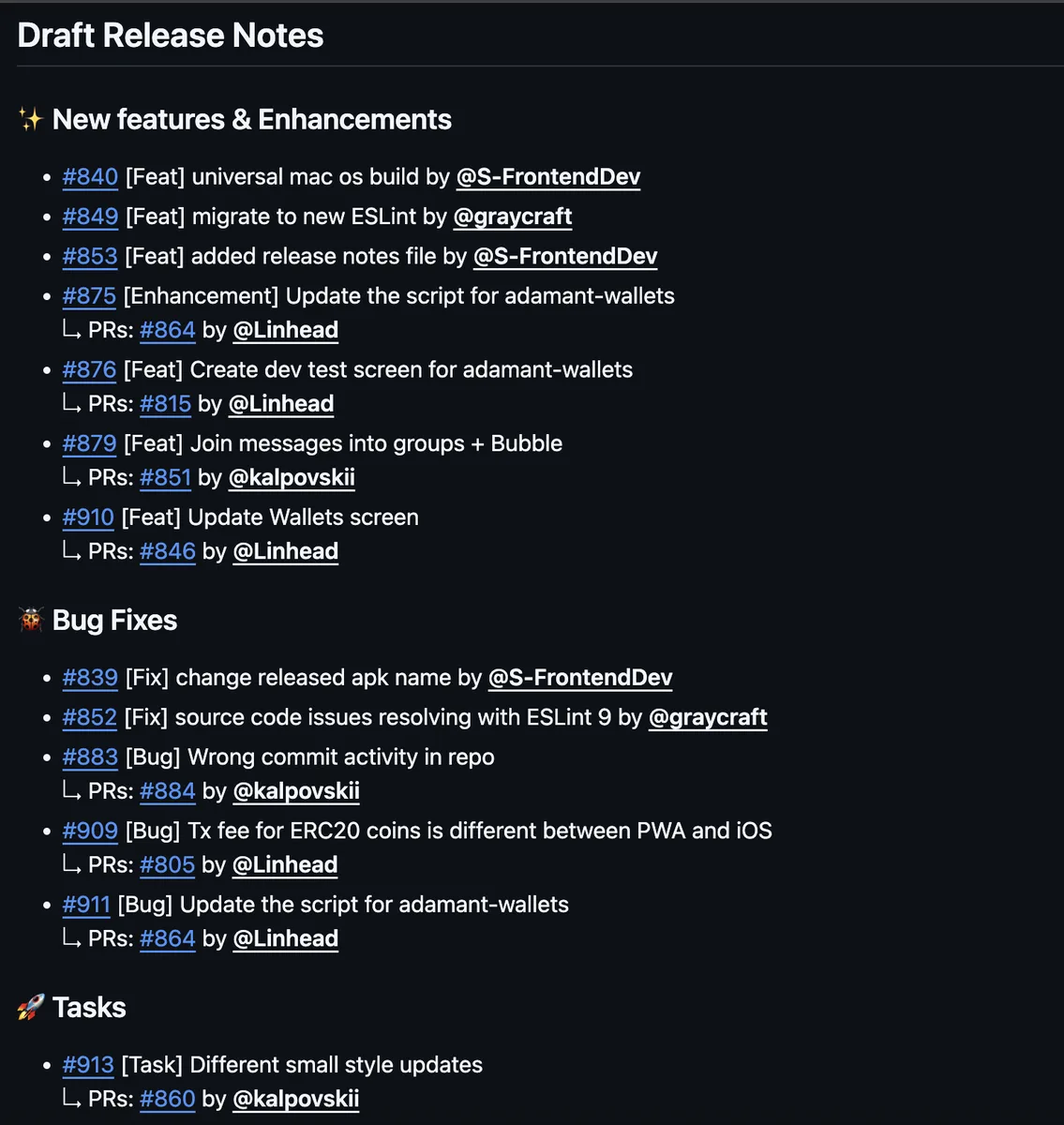
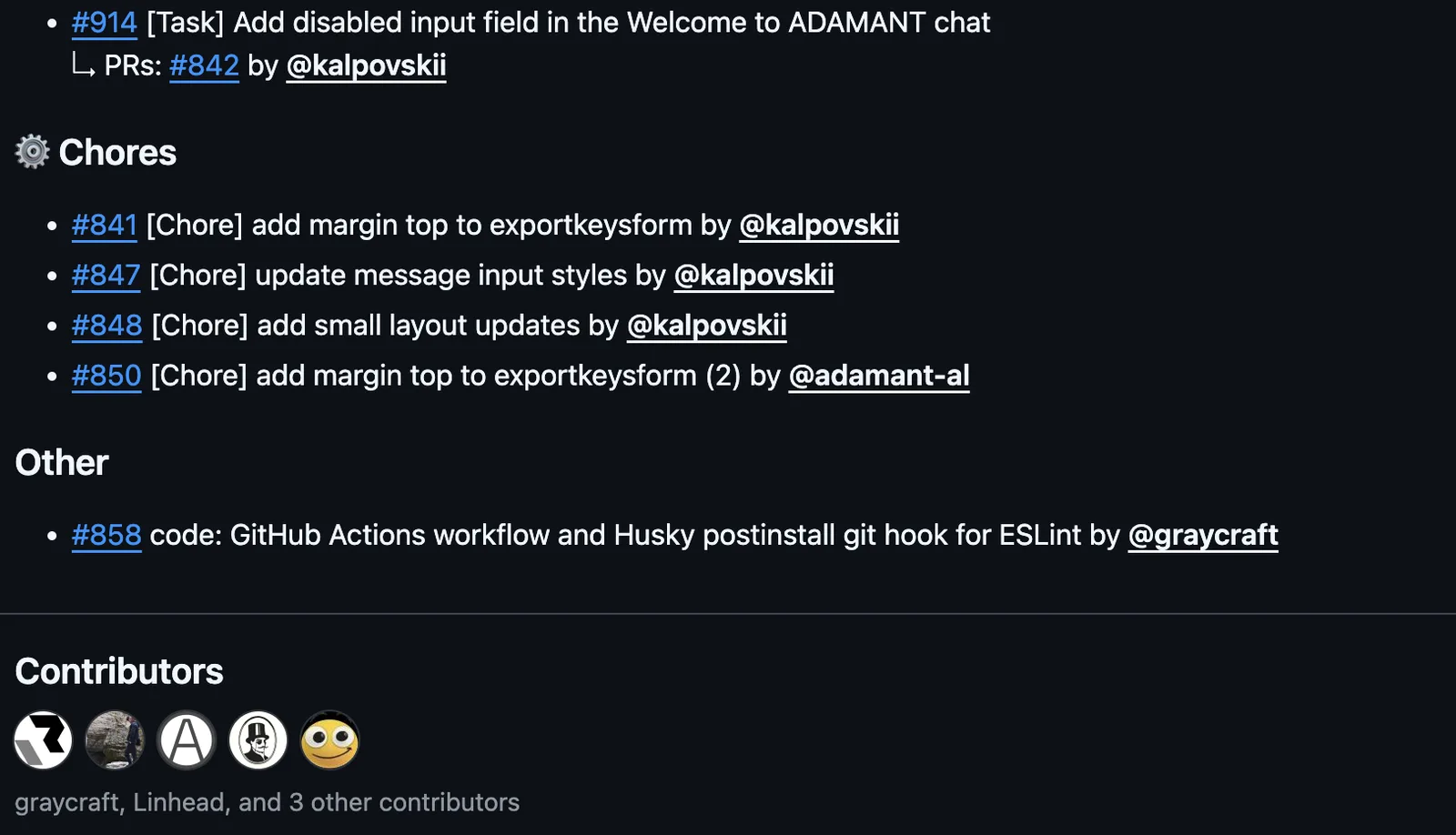
ADAMANT 已引入 Release Drafter,以在其各个代码仓库中自动生成功能发布说明。该工具会收集已合并的拉取请求——包括标题、标签和作者——并生成一份草稿版本,按“功能”、“修复”和“任务”等类别对变更进行分组。由此可生成整洁、标准化的 Markdown 格式发布说明,无需手动编辑。
分类功能通过两种互补机制实现。第一种基于标签,使用如 feature、fix、chore 和 breaking 等标签。第二种则使用拉取请求和问题标题前缀,例如 [Bug]、[Feat] 和 [Chore]。这两种方法可结合使用。
包含的文件
该系统由两个文件组成。工作流文件位于 .github/workflows/custom-release-draft.yml,发布说明生成脚本位于 .github/scripts/release-notes.js。这两个文件均维护在 Adamant-im/.github 仓库中。
在你的仓库中启用
要启用 Release Drafter,请将工作流文件复制到你的仓库中。该工作流会检出目标仓库,配置 Node.js 环境,安装所需的 Octokit 依赖项,从共享的 .github 仓库下载 release-notes.js 脚本,并使用仓库的 GITHUB_TOKEN 运行该脚本。
name: Custom Release Draft

on:
  workflow_call:
    inputs:
      target_branch:
        required: false
        type: string
        default: master
  push:
    branches:
      - master
      - feat/release-drafter
  workflow_dispatch:

jobs:
  release-draft:
    runs-on: ubuntu-latest
    steps:
      - name: Checkout target repository
        uses: actions/checkout@v4

      - name: Setup Node.js
        uses: actions/setup-node@v4
        with:
          node-version: 20

      - name: Install dependencies
        run: npm install @octokit/rest @octokit/graphql

      - name: Download release-notes.js
        run: |
          set -e
          mkdir -p .github/scripts
          echo "Trying to download release-notes.js from feat/release-drafter..."
          if ! curl -fsSL "https://raw.githubusercontent.com/Adamant-im/.github/feat/release-drafter/.github/scripts/release-notes.js" -o .github/scripts/release-notes.js; then
            echo "feat/release-drafter not found, downloading from master..."
            curl -fsSL "https://raw.githubusercontent.com/Adamant-im/.github/master/.github/scripts/release-notes.js" -o .github/scripts/release-notes.js
          fi

      - name: Run release notes script
        run: node .github/scripts/release-notes.js
        env:
          GITHUB_TOKEN: ${{ secrets.GITHUB_TOKEN }}
          GITHUB_REPOSITORY: ${{ github.repository }}
工作流配置完成后,请根据推荐的规范为你的拉取请求添加标签或前缀。每次有拉取请求被合并后,仓库“Releases”页面中的发布草稿将自动更新。
示例输出