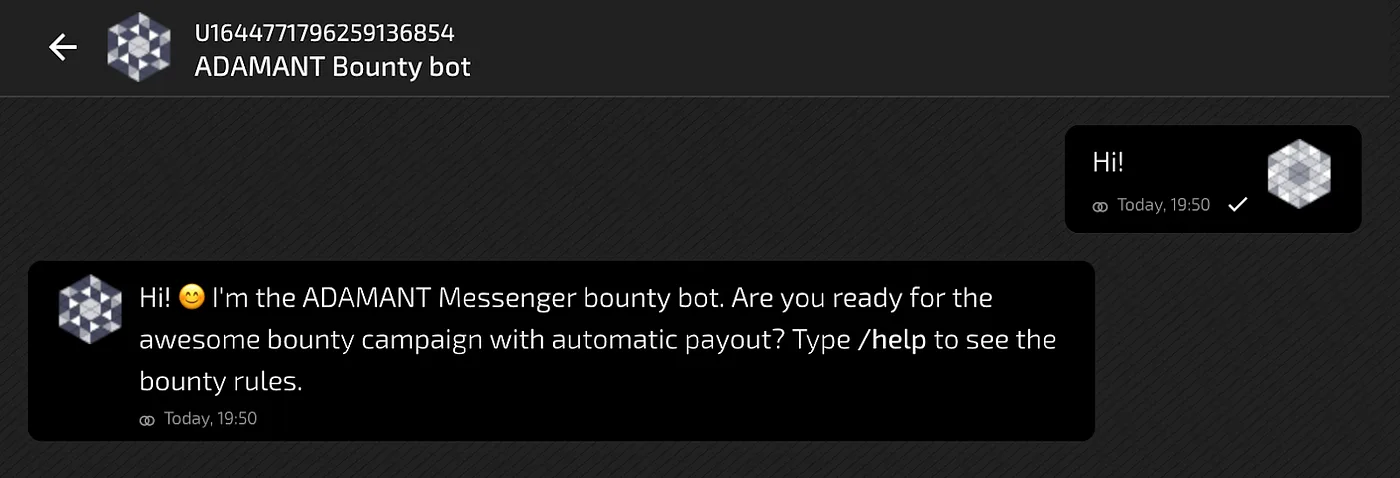
ADAMANT Bounty Bot: Interactive Campaigns with Automated Crypto Payments

The ADAMANT Bounty Bot is an open-source tool designed for cryptocurrency projects to run bounty campaigns and airdrops interactively through chat in ADAMANT Messenger. It automates task verification and payments, eliminating the need for a dedicated bounty manager and removing delays in participant payouts.
Why a dedicated bounty bot
Traditional bounty campaigns rely on managers who post terms on forums like Bitcointalk and manually verify participant compliance at the end of a campaign. This approach is inconvenient for users and costly for project owners. The ADAMANT Bounty Bot streamlines the process: participants interact with the bot directly in chat, the bot verifies completed tasks automatically, and rewards are paid out immediately in ADM, ETH, or ERC-20 tokens.
Currently, the bot supports Twitter campaigns (following accounts, retweeting with comments, mentioning friends, and using hashtags) as well as ADAMANT referral campaigns where users invite others to join. Support for additional social networks can be added by contributors since the bot is open source.
How it works
The bot runs continuously on a server. After installation, you configure campaign settings such as which Twitter accounts participants must follow, which tweet to retweet, and what the retweet comment must contain. The bot tracks user messages, checks task completion, pays rewards, and accumulates statistics. It also detects duplicate social media accounts to prevent a single user from claiming a reward twice.
Requirements
Running the bot requires basic Linux and Node.js skills. Server requirements are minimal—any VPS with Ubuntu will suffice (e.g., Digital Ocean, Ramnode, Scaleway, Hetzner). Installing a full ADAMANT node is optional but recommended on machines with more than 40 GB disk and 1 GB RAM to support decentralization. You will also need an ADAMANT wallet for the bot, funded cryptocurrency wallets for payouts (note that ERC-20 transfer fees are paid in ETH, so the bot’s ETH wallet must be topped up as well), Twitter API keys if running Twitter campaigns, and MongoDB installed on the server.
Commands
The bot responds to several user and admin commands. Users can send /help for campaign info, /rates for token market prices, and /calc to convert between cryptocurrency values. Admins can use /balances to check the bot’s wallet balances and /test to run diagnostics such as /test twitterapi.
Installation
The bot should be installed under the adamant user. If you previously installed an ADAMANT node, this user already exists. Clone the repository and install dependencies:
su - adamant
git clone https://github.com/Adamant-im/adamant-bountybot.git
cd ./adamant-bountybot
npm i
Configuration
Open config.json in a text editor. The key parameters to set are described below.
passPhrase — the seed phrase for the bot’s ADM account. Always create a new account for the bot rather than reusing an existing one.
"passPhrase": "scatter tomato doctor also stay tell success pause gift clip hungry october",twitter_follow — Twitter accounts participants must follow to earn rewards. Set to an empty array to disable.
"twitter_follow": [
  "@adamant_im",
  "@BitZ_Group"
],
twitter_retweet_w_comment — defines the tweet to retweet with a comment. min_mentions sets how many friends must be mentioned; hashtags specifies required hashtags. Set to an empty array to disable.
"twitter_retweet_w_comment": [
  {
    "tweet": "https://twitter.com/adamant_im/status/1272945640574722048",
    "min_mentions": 3,
    "hashtags": [
      "#privacy",
      "#decentralization"
    ]
  }
],
adamant_campaign — sets the number of new users a participant must invite to ADAMANT (min_contacts). A referred user counts if their first message is no older than three days and is sent to a campaign participant. Set to 0 to disable.
"adamant_campaign": {
  "min_contacts": 3
},
rewards — specifies the payout amounts and currencies for each user who completes all tasks.
"rewards": [
  {
    "currency": "ADM",
    "amount": 100
  },
  {
    "currency": "ETH",
    "amount": 0.01
  }
],
twitter_api — your Twitter API credentials from the Twitter developer portal. Leave blank if not running a Twitter campaign.
"twitter_api": {
  "consumer_key": "jsoQSRzVYWTUE88t",
  "consumer_secret": "6l7w0vqHCEIkmjbdR8ubTxzhJZRk1JUlSUonu5",
  "access_token_key": "86823450088-il17SnfGmxQCYW9bAGAnFB2aW4",
  "access_token_secret": "W0k1armrFUL8ATzJwAJ2x9yuxojKIEtRaphT"
},
admin_accounts — your personal ADM address so the bot accepts admin commands from you. This must differ from the bot’s own address.
"admin_accounts": [
  "U14818108337685946763"
],
welcome_string and help_message — the greeting and help text shown to users. Both support Markdown and can reference config variables (e.g., ${config.rewards_list}, ${config.twitter_follow_list}).
adamant_notify and slack — optional but recommended notification channels. If using ADAMANT notifications, specify an address different from admin_accounts.
"adamant_notify": "U48110833768594688888",
"slack": "https://hooks.slack.com/services/T7YUJW/LKHHD/rDKFJZ94FOhbkn49eOfq",
Running the bot
Use the pm2 process manager to start the bot. If you installed an ADAMANT node, pm2 is already available; otherwise install it with sudo npm install -g pm2.
pm2 start --name bountybot app.jsCheck the logs if the bot does not respond to messages:
pm2 logs bountybotTo ensure the bot restarts after a machine reboot, add a cron entry:
crontab -eAdd the following line and save:
@reboot cd /home/adamant/adamant-bountybot && pm2 start --name bountybot app.js