ADAMANT distinguishes between message delivery statuses and cryptocurrency transfer statuses. Messages are tracked within the ADAMANT blockchain, while transfers are verified against each token’s native blockchain. A core privacy principle: ADAMANT will never implement a “read” status for messages, since that would leak recipient activity.
Message Statuses
Incoming messages are always considered delivered because they are read directly from the blockchain, so no status is displayed for them. Outgoing messages progress through three stages: Sending (pending), Delivered to node (the node accepted the transaction), and In blockchain (an additional confirmation once the block is known). The transition from Sending to Delivered must happen quickly for a smooth UI experience. Statuses update both in the chat list and inside individual chats.
When sockets are enabled, they return unconfirmed transactions as soon as they reach the node. At that point, fields like block_timestamp, height, blockId, and confirmations are null. Sockets duplicate REST API responses — messages arrive instantly via socket, while REST provides updates every ~10 seconds (SOCKET_ENABLED_TIMEOUT) as a reliability fallback. ADAMANT deliberately does not use a “Delivered to recipient” status because it contradicts the privacy philosophy and is technically unreliable when the recipient is offline.
If delivery to the node fails or the blockchain rejects the transaction, the message is marked Not sent.
Cryptocurrency Transfer Statuses
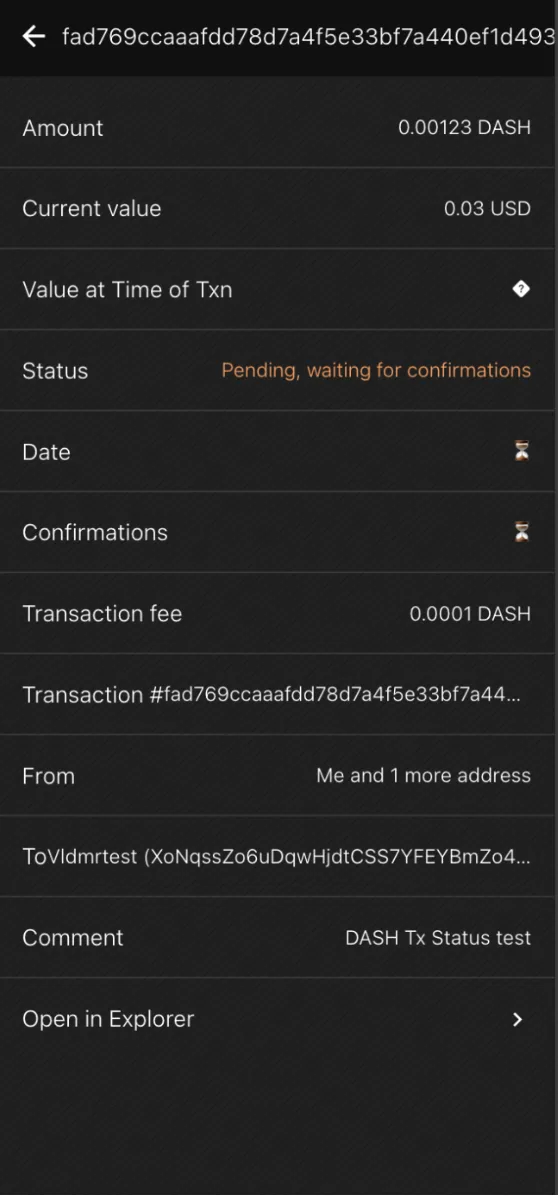
For all crypto transfers, ADAMANT displays the transaction status in the token’s own blockchain. This applies to both incoming and outgoing transfers. The workflow is: Pending → Registered → Success / Failed / Inconsistent.
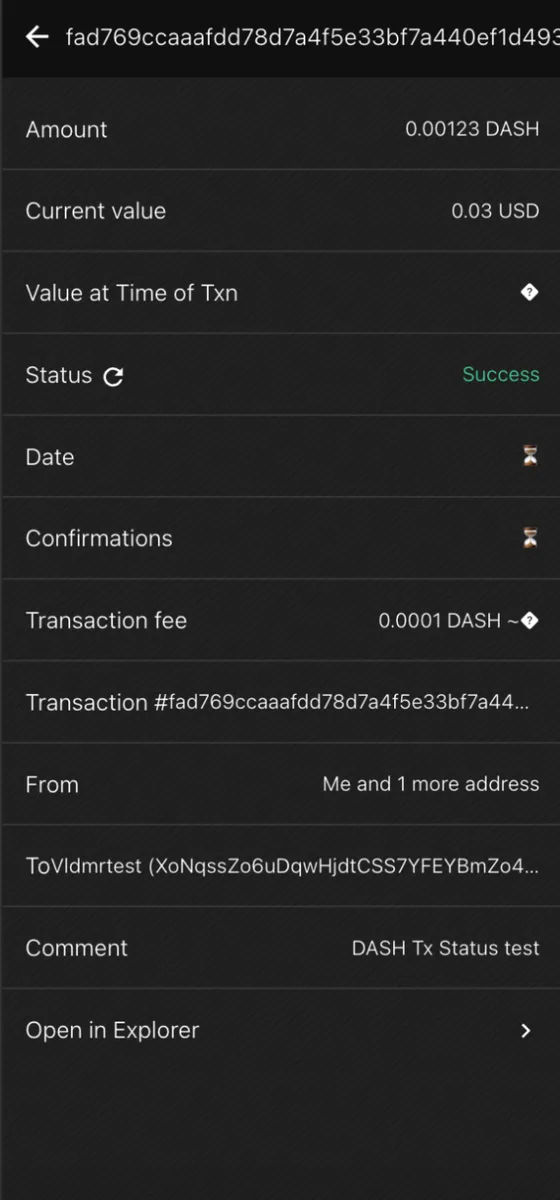
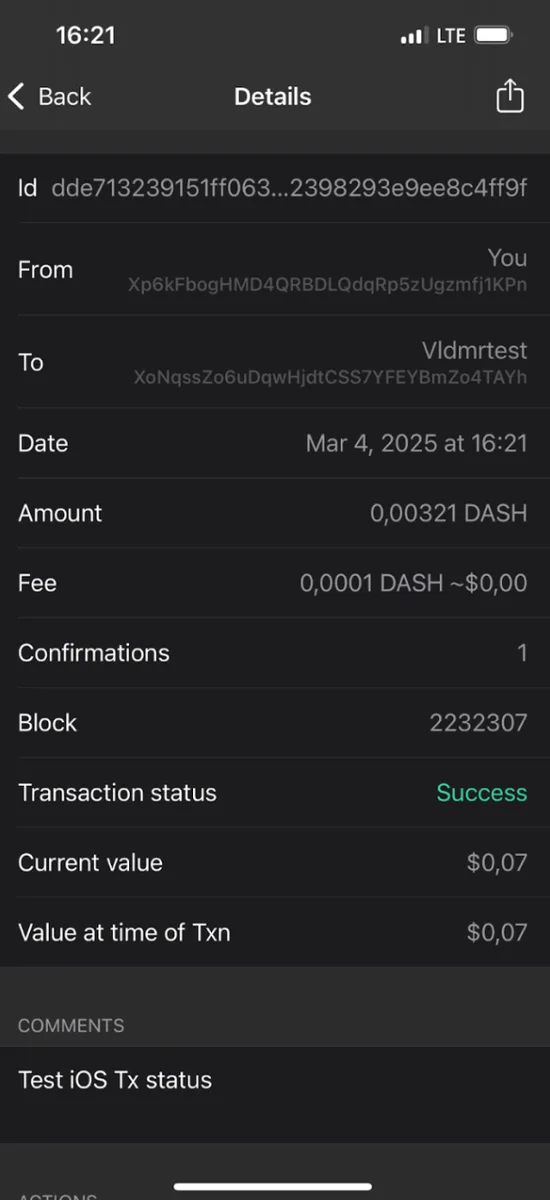
A transfer starts as Pending (sending or checking). Once a node confirms the transaction exists, it becomes Registered. ADAMANT then continues checking until a final status is reached: Success (confirmed in the network), Failed (rejected by the network), or Inconsistent (mismatch detected). Transaction check rules per coin are defined in the adamant-wallets repository under txFetchInfo. The specification is documented in AIP-12.
For ADM transactions specifically, status comes directly with the transaction: if confirmations > 0, the transfer is marked Success; if confirmations = 0, it remains Pending or Registered.
Background Status Check Mechanism
For non-ADM blockchains, status checks require additional node or API requests. ADAMANT uses a background mechanism that only checks transactions visible to the user and stops once a final status is received. Check frequency depends on transaction age (New vs. Old), and the system limits attempts for Pending transactions while allowing unlimited attempts for Registered ones. Checks only run when a network connection and the relevant coin nodes are available, avoiding wasted attempts offline.
A transaction is classified as New if it was just broadcast from the app, or if its timestamp falls within a threshold X minutes of the current time. Otherwise it is Old. The threshold can be a static constant or calculated per coin:
const isNew = (admTransferTimestamp) =>
  Date.now() - admTransferTimestamp < newPendingTxFetchAttempts * newPendingTxFetchInterval;
This distinction ensures newer transactions are checked more frequently, while older ones are verified less aggressively.
Example: Bitcoin Transfer
Constants from adamant-wallets:
"txFetchInfo": {
    "newPendingInterval": 10000,
    "oldPendingInterval": 3000,
    "registeredInterval": 40000,
    "newPendingAttempts": 20,
    "oldPendingAttempts": 3
}
For a New Pending transaction, the app checks every 10 seconds (newPendingInterval) for up to 20 attempts (newPendingAttempts), giving a total window of ~200 seconds. If the node detects the transaction (even with 0 confirmations), it becomes Registered. If still unseen after all attempts, it is marked Failed.
For Registered transactions, the app checks every 40 seconds (registeredInterval) with unlimited attempts until the transaction is Confirmed (≥1 confirmation) or the node returns an error.
Users can manually re-check a transaction by tapping its status icon in chat, which resets it to Pending and triggers a fresh verification cycle. Transaction statuses are not stored locally; on login with a password, PIN, or fingerprint, they are re-checked from scratch.
Inconsistency Detection
A transfer is marked Inconsistent when the data recorded in the ADAMANT message does not match the data retrieved from the token’s blockchain. A mismatch is flagged if any of the following holds: the amount differs by more than ~0.1–0.5%, the sender address differs, the recipient address differs, or the message timestamp and blockchain transaction timestamp differ by more than 3 hours.
Two additional special cases exist. If the coin is unsupported (e.g., xrp_transaction), the app cannot verify the transfer and shows a message indicating the cryptocurrency is not supported. If a duplicate transaction hash is detected — meaning the same TX hash already appeared in a loaded transaction — the transfer is marked Inconsistent to prevent a scenario where a single on-chain transaction is counted multiple times in chat.
Inconsistency reasons are prioritized as follows: incorrect transaction hash, duplicated transaction, sender address mismatch, recipient address mismatch, wrong amount, unable to retrieve sender address, unable to retrieve recipient address, significant timestamp difference, and general check failure. Each reason includes a fraud warning where appropriate.
UI Demonstration
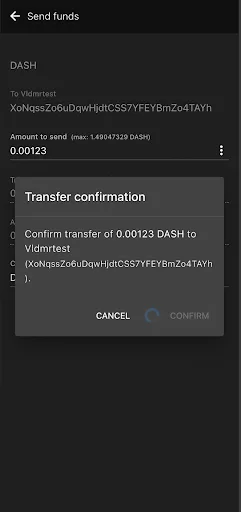
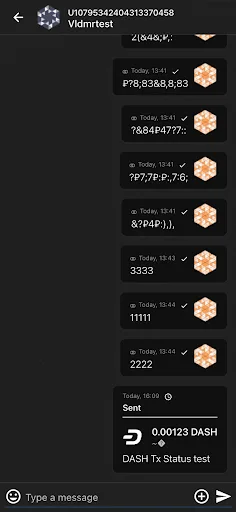
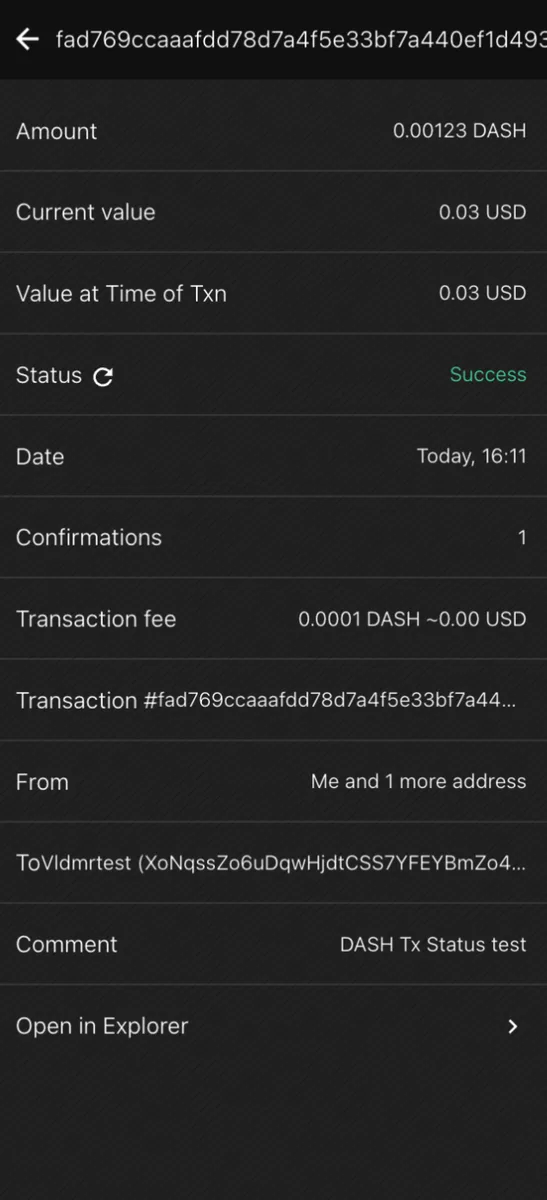
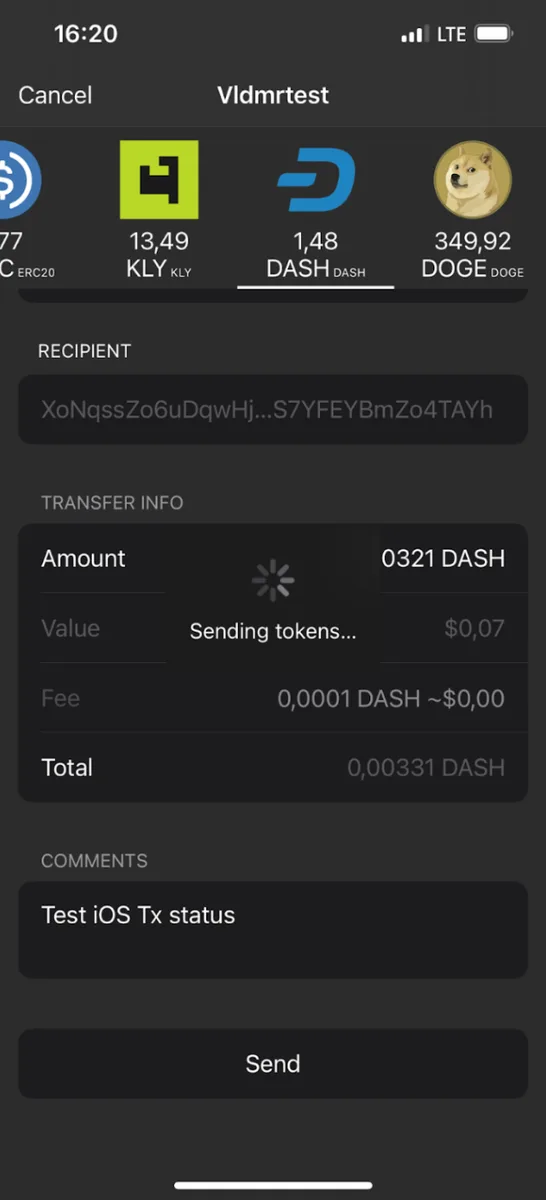
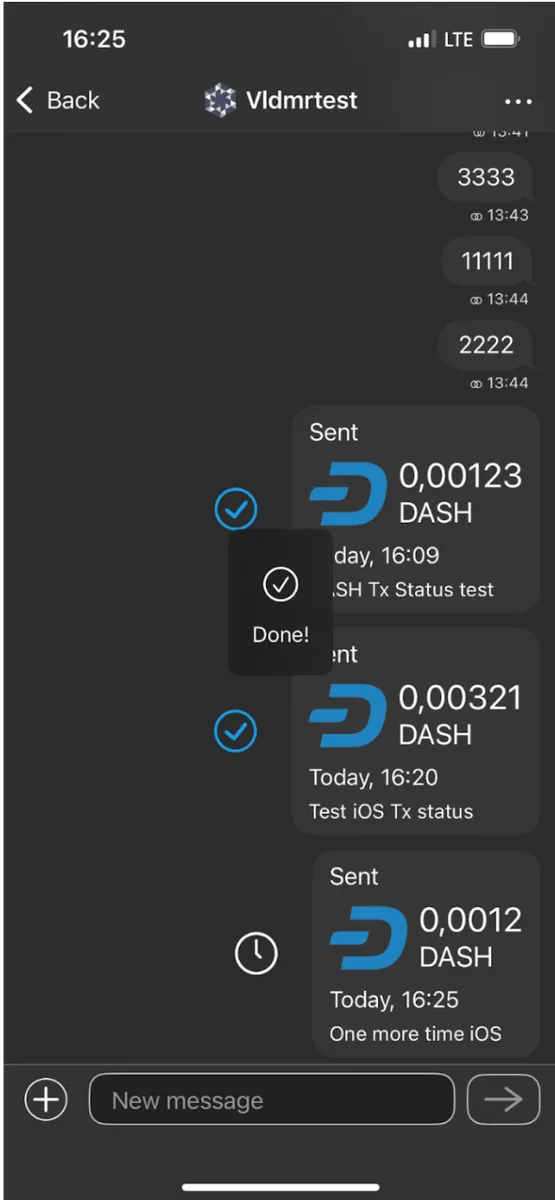
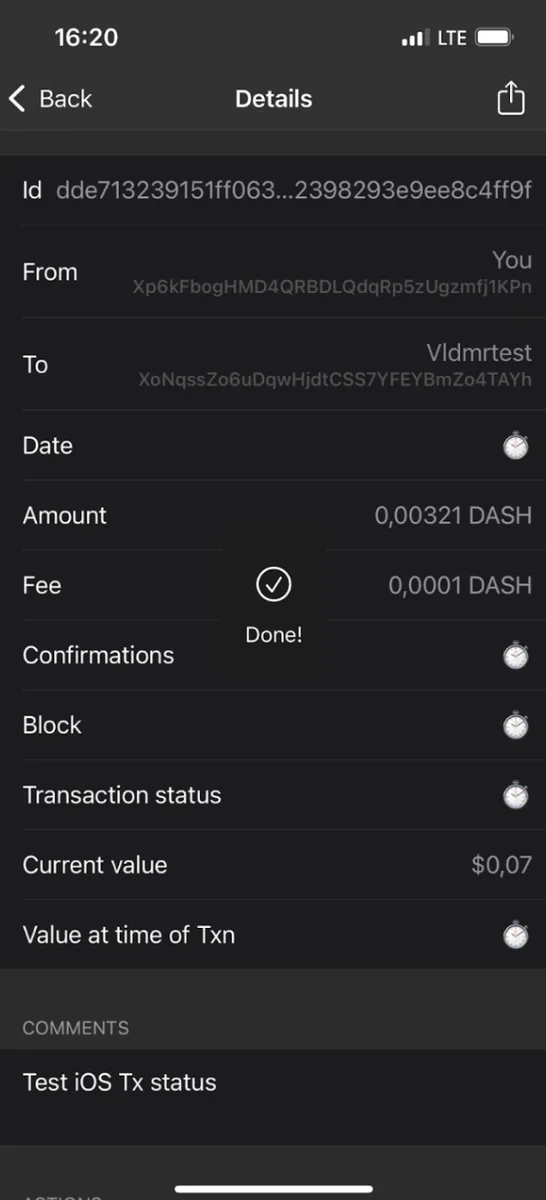
The screenshots below illustrate transfer status progression in the ADAMANT PWA and iOS client.
DASH In-Chat PWA-dev v4.9.0 — 2025-03-04
| After confirming transfer (~10 sec) | Tx shown in chat as Pending | Tx details — Pending (~2 min) |
|---|---|---|
 |  |  |
| Confirmed with no details (~5 sec) | Confirmed with details — Final | |
|---|---|---|
 |  |
DASH In-Chat iOS v3.11.0 — 2025-03-04
| After confirming (~3 sec) | Tx shown in chat as Pending | Tx details — Pending (~2 min) |
|---|---|---|
 |  |  |
| Confirmed with details — Final | ||
|---|---|---|
 |