Keep your tokens: a self-hosted market-making desk for ADAMANT
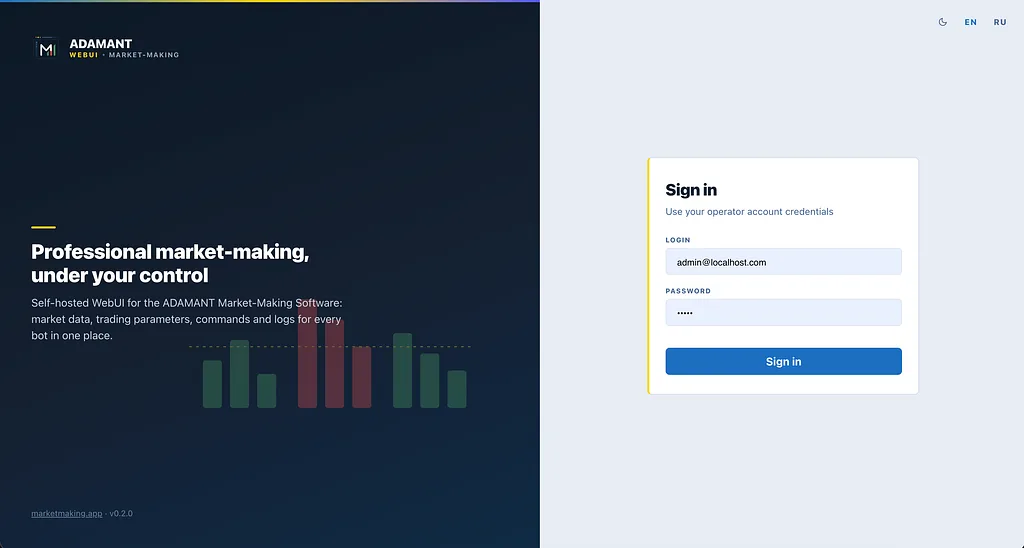
If you issue a token, the pitch is familiar: a market maker will “take care of the book,” tight spread, printed volume — just send them a bag of tokens and a bag of quote, and trust the arrangement. That is the part that should make you pause. Those tokens are your float, your treasury, your listing story. Once they leave your wallet, you are no longer running market making. You are renting a black box. You cannot see which orders are yours, stop the bot at 3 a.m., or prove to a partner that the inventory is still yours.
Self-hosted, self-controlled market making is the opposite model: you keep the tokens, the API keys, and the process. The software sits next to your exchange account. Nothing is custodied by a desk in another jurisdiction.
That model already exists in ADAMANT Market-Making Software, self-hosted liquidity for CEX listings. It places and manages maker flow on your account — spread, depth, ladders, volume, price bands. You install it, point it at your API keys, and the coins never leave the exchange wallet you own. Control today is real, but it is still a power-user loop: ADAMANT Messenger, Telegram, CLI. One command, one text reply. Fine for a single pair you live with; awkward for a fleet, and awkward when you need to see the book, the candles, the inventory, and the last twelve hours in one glance.
That is the gap cryptofoundry has been closing.
A web desk for software that never takes your tokens
The project is building a private, self-hosted WebUI: one address in the browser, many bots in tabs. You sign in as an operator, pick a pair, and get a market screen, parameter forms, commands, and logs — without the browser ever talking to the exchange. The architecture is boring on purpose. The WebUI does not hold exchange secrets or place orders in the cloud. Every chart, balance, and cancel goes through your bot’s API. The bot remains the only process that knows the exchange.
Sign-in lives on your console — not on the exchange, and not on a third-party market maker. Each bot only verifies a signed token. This is Scenario A: you run the console (typically behind HTTPS on a machine you control), add each bot by URL, and share an HMAC secret with the fleet. One WebUI, many instances — Binance, Bybit, Gate, BiFinance, whatever you actually list on. A hosted subscription (Scenario B: outbound relay, license in bot config, no inbound bot port) is a later product. The rule does not change: tokens stay in your exchange account.
The market, not a chat log
Open a bot tab and you are on a market desk: candles with your orders drawn on the chart, a live book with spread, 24h range and volume, base and quote inventory in coin and USD, and manual limits if you need to lean in. Click the book and side, price, and size fill. Cancel sends the order id, the market, and the side; the row leaves the table. You are looking at your account, through your bot.
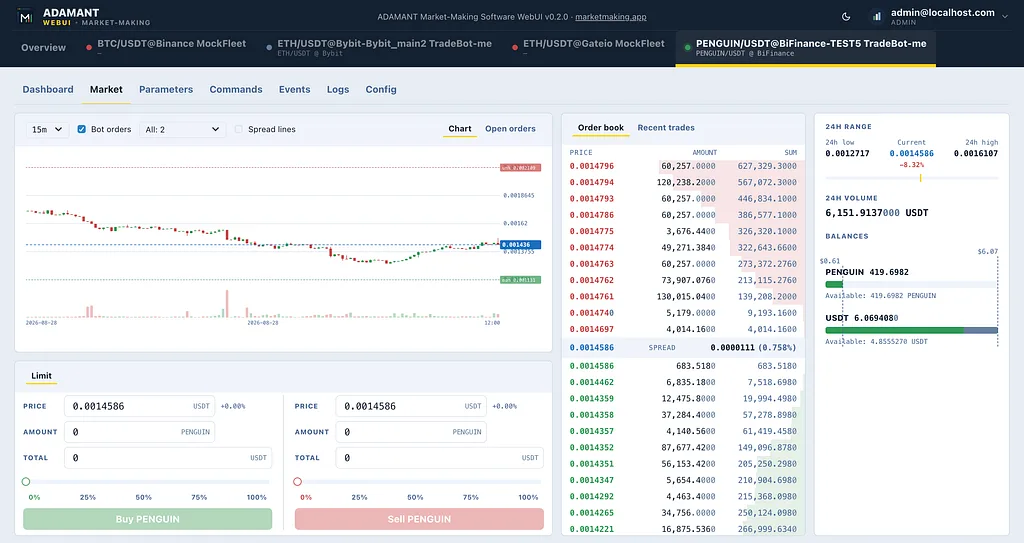
Market view. Candles, order book, USD inventory, and place-order — one tab in a multi-bot fleet. This is still your API key and your wallet on the exchange.
Parameters you can read at 2 a.m.
Market making is not one switch. It is liquidity bands, price watching, ladders, volume, and notifiers. The WebUI turns that into grouped forms. If a module is not in this bot build, the group stays locked — you are not guessing which /enable code maps to which card.
Live situation is a strip for operators who refuse to babysit a terminal: twelve hours of inventory (base + quote in USD) and open-order mix. Bars fill in the browser while you are connected. A yellow hour means quality was degraded; grey means market making was off. You see the night, not a single snapshot.
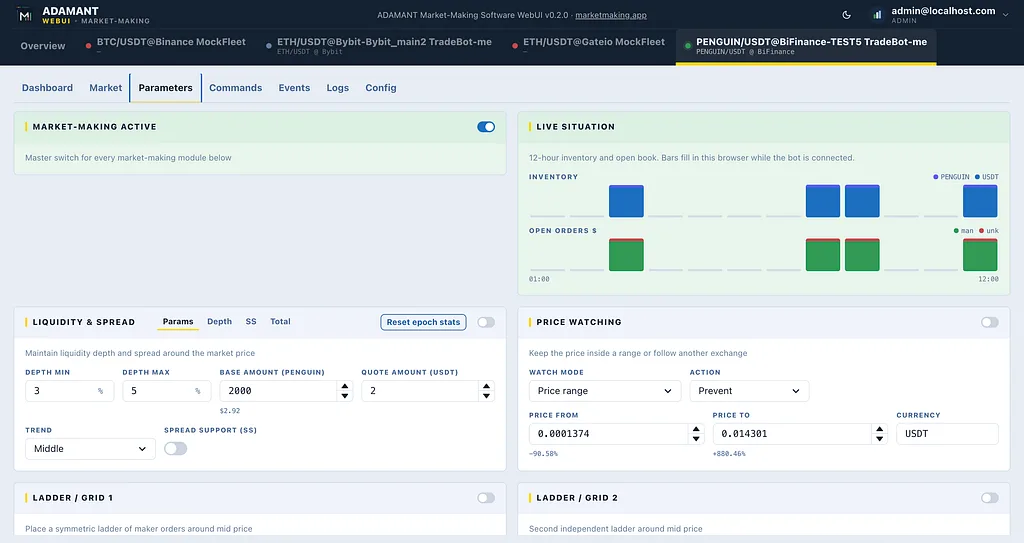
Parameters. Master market-making switch, 12-hour Live situation, liquidity, price watching, ladders. Groups follow what this bot actually has installed.
A note on mechanics, because it matters when something goes wrong: the bot stamps when MM last started and when the process last restarted with MM already on. Equal timestamps mean a clean start. Init older than restart means the box rebooted. Public process liveness (/health) stays a tiny { status, transport } so a reachable port does not leak book quality. Quality is a separate, authenticated /status.
The same commands, on a desk
Fill, close, make-price, TWAP, transfer, withdraw, and queries — the same handlers as Messenger and CLI, with confirmations on destructive calls and a live console on the right.
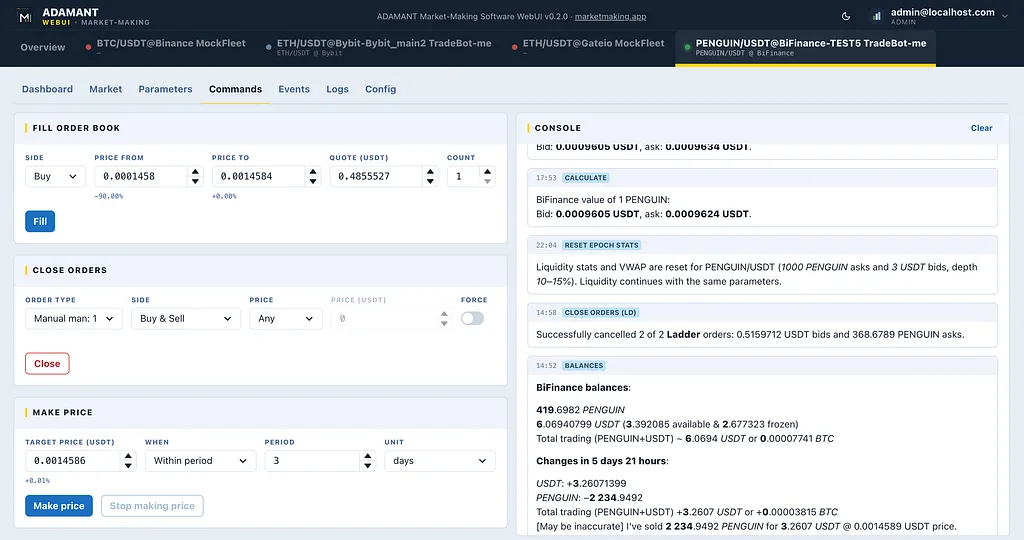
Commands. The power-user set, laid out for a desk: fill the book, close a slice, make a price, watch the bot talk back in the console.
Because “who flipped MM off?” is a real question, Events is an audit trail on the WebUI — operator vs bot, parameters vs commands, with search and export.
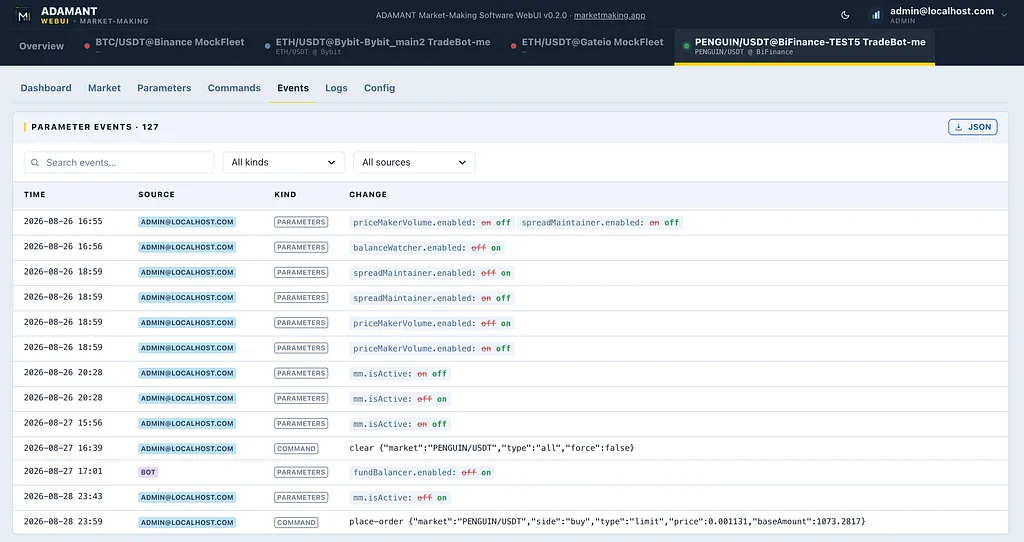
Events. What changed, when, and who: you, a colleague, or the bot itself.
Why this is not just another SaaS MM
Most “we will make your market” offers optimize for their operations: they need your tokens in their accounts so their bots can trade. This model optimizes for your operations. Custody stays on the exchange under keys you issued. The bot runs where you choose — your VPS, your rack. The WebUI is a window onto that process, not a new custodian. One console covers every pair you actually care about.
If a listing needs a second API key for self-trade rules, that is still your second account. If you stop the software, the orders are yours to cancel. If you fire the vendor story, you are not waiting for a return of tokens that already left.
Status
The private self-hosted path (Scenario A) is in active integration: market, parameters, live situation, commands, events, and authenticated MM health. The fleet dashboards and config are being polished so the first operators can run it as a daily desk, not a demo.
ADAMANT Market-Making Software is self-hosted. You keep the exchange account, the API keys, the funds, and the execution. The WebUI described here is the operator console for that software — not a venue that takes inventory.