The fundamental difference between cryptocurrencies and bank accounts is ownership: you do not own a bank account, but cryptocurrencies are entirely yours. This is the basis of decentralization. ADAMANT has supported exporting private keys in its iOS application for a year, and the feature is now available on all platforms.
What Is a Private Key?
A crypto wallet address is public, like a bank account number. An ADAMANT address looks like U4193701161843143990, while an Ethereum address looks like 0x8edbf571D2973ce211ad561299419238dcC69f43. But only the owner of the private key can manage the account. A private key is a unique code that allows full access to a specific wallet.
This key may take different forms. In ADAMANT and Lisk, it is a twelve-word passphrase. In Ethereum and Bitcoin, it is a set of characters.
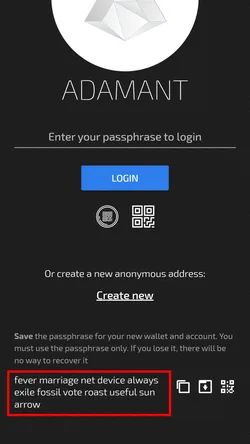
If you do not have the private key, you do not own the wallet. For example, you do not have keys for wallets on cryptocurrency exchanges, and you cannot withdraw coins without the exchange’s permission. Transferring cryptocurrency to an exchange means trusting a third party. Keep all private keys in a safe place. If someone discovers your private key, they will dispose of your funds. Nobody will return stolen coins — this is the cost of freedom and decentralization.
Wallets in ADAMANT
To sign in to ADAMANT, you enter a twelve-word passphrase. Based on that passphrase, different algorithms generate the private keys for all other wallets in the account, including Ethereum and Bitcoin. ADAMANT does not transfer private keys over the network, so the wallet holder retains total control over their account. When using the built-in wallets, you need not know all of their individual keys because they are all derivatives of the passphrase. But if you want to access these wallets in another application, the private keys need to be exported.
Exporting Private Keys
The ADAMANT app allows users to export their private keys for use outside the messenger’s system. For instance, you can access your Ethereum and ERC-20 wallets via MyEtherWallet, or store exported keys as a backup. The export function is available in Settings.
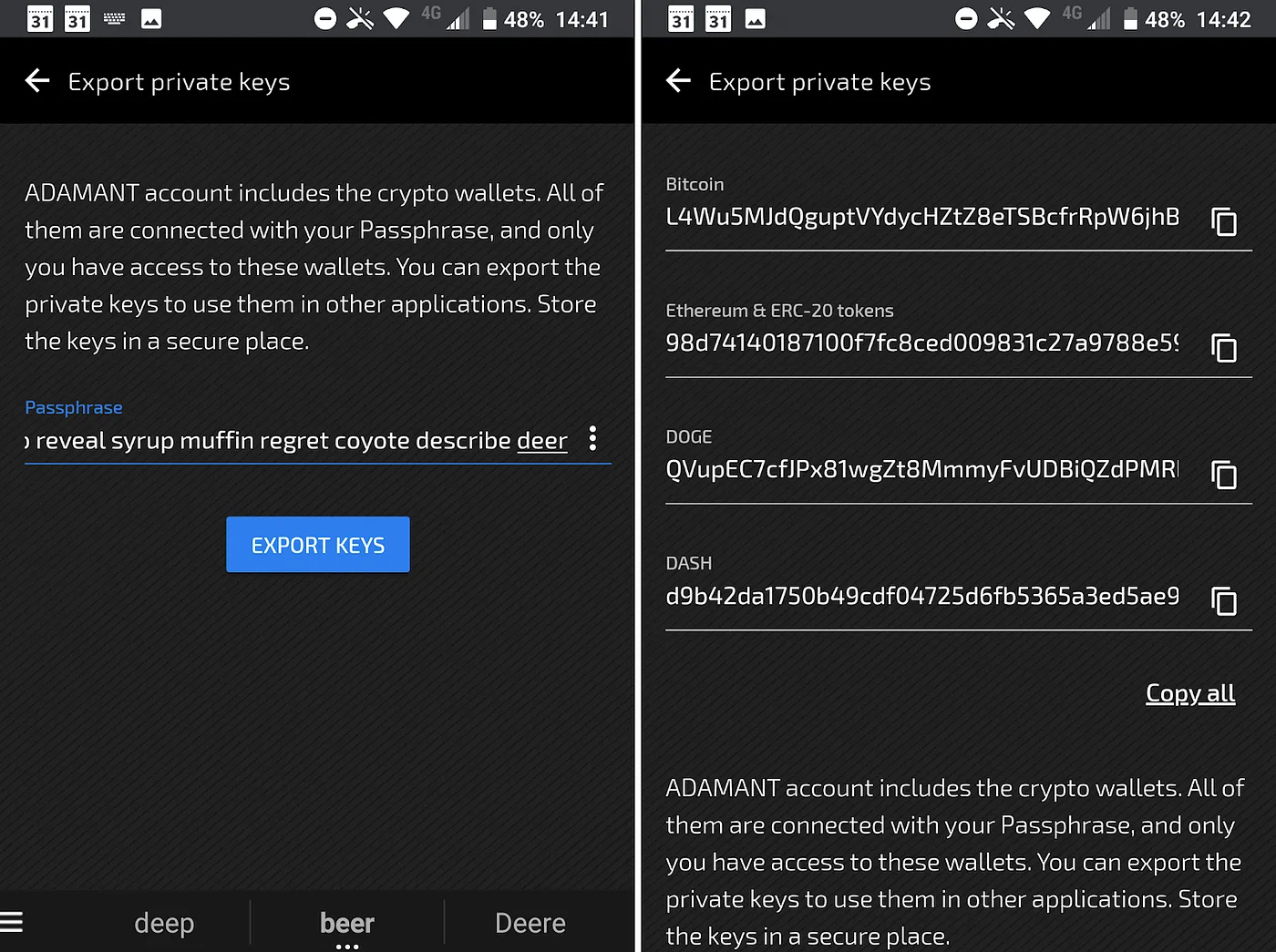
Only you are responsible for your account and wallets. Only you know the private keys. If a private key is compromised, third parties can seize the associated funds. In that case, create a new ADAMANT account so the system generates a new passphrase and therefore new keys.
Security FAQ
Do the ADAMANT developers know my passphrase and private keys? No. The ADAMANT account, passphrase, and private keys are created on your device. If you use the application on a PC, they are created on the PC; on a mobile phone, on the phone. Private keys never leave your device. When you make a payment or send a message, only a signed transaction is sent to the node. This applies to all cryptocurrencies built into ADAMANT.
How can I verify that ADAMANT is not sending private keys over the network? The source code is completely open and available on GitHub.
Are my passphrase and private keys impossible to steal? No. If your device is compromised, someone may steal the keys. Examples include a browser extension that sends data to third parties, a keylogger that records all keystrokes, a virus that scans memory, or use of a phishing messenger app (for example, msg.adamant.io instead of msg.adamant.im).
Is it necessary to export the private keys? No. Stored keys increase the risk that someone else will see them and steal coins.
If someone steals my private keys for the built-in wallets, will they gain access to ADAMANT messages also? No. Exported private keys give access only to built-in crypto-wallets. Moreover, if an attacker steals a key for one cryptocurrency (for example, Doge), they cannot access Ethereum or Dash wallets.
If someone steals my ADAMANT passphrase, will they get access to all built-in crypto-wallets? Yes. They will gain access to both messages and wallets, which is why keeping the passphrase secret is critical.
Passphrase or private keys were stolen — what to do? Create a new account. If there are coins on the old one, transfer them to the new account.
Where can I use exported private keys? ADAMANT exported keys are compatible with several third-party applications. For Bitcoin, Electrum, Blockchain.com, and any wallet supporting WIF key format work. For Ethereum, MyEtherWallet is supported. For Doge, MultiDoge. For Dash, Dash Electrum. For Lisk, an API node is required; no known applications allow importing the private key directly, since you cannot generate a passphrase from a key.